Vehicle inventory for auto recyclers
One VIN in. A finished vehicle out.
Start a new vehicle in AutoInventoryAI instead of your inventory system. It creates the record, pre-fills the 20 questions, picks the interchange, prices the parts and pushes everything into Powerlink, Pinnacle or Checkmate.
Talk to sales: 800-211-0843
The flow of a fresh vehicle
Four steps from VIN to worksheet
Start in the app, not in your inventory system. Every step builds on the one before it, and nothing is typed twice.
-
Step 1
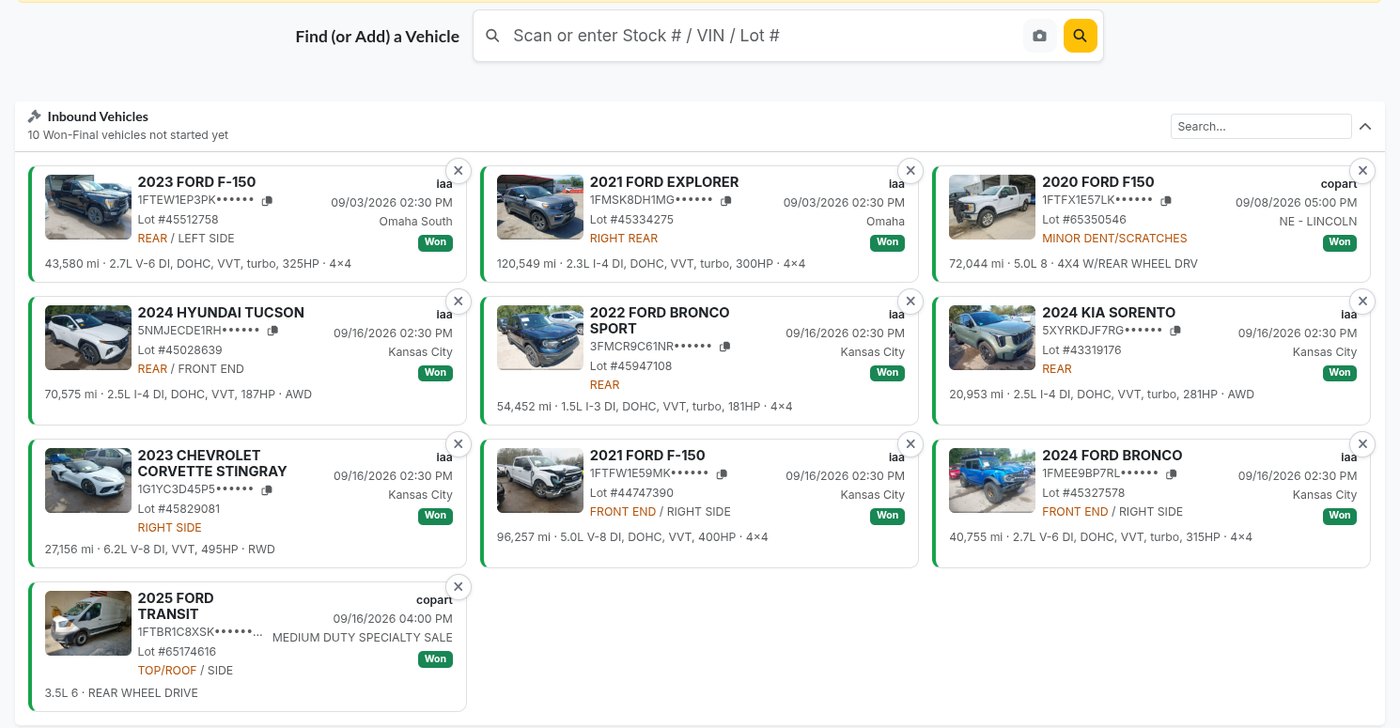
Find the vehicle
Type the VIN or lot number. If you won it at auction, it is already waiting under Inbound Vehicles.
-
Step 2
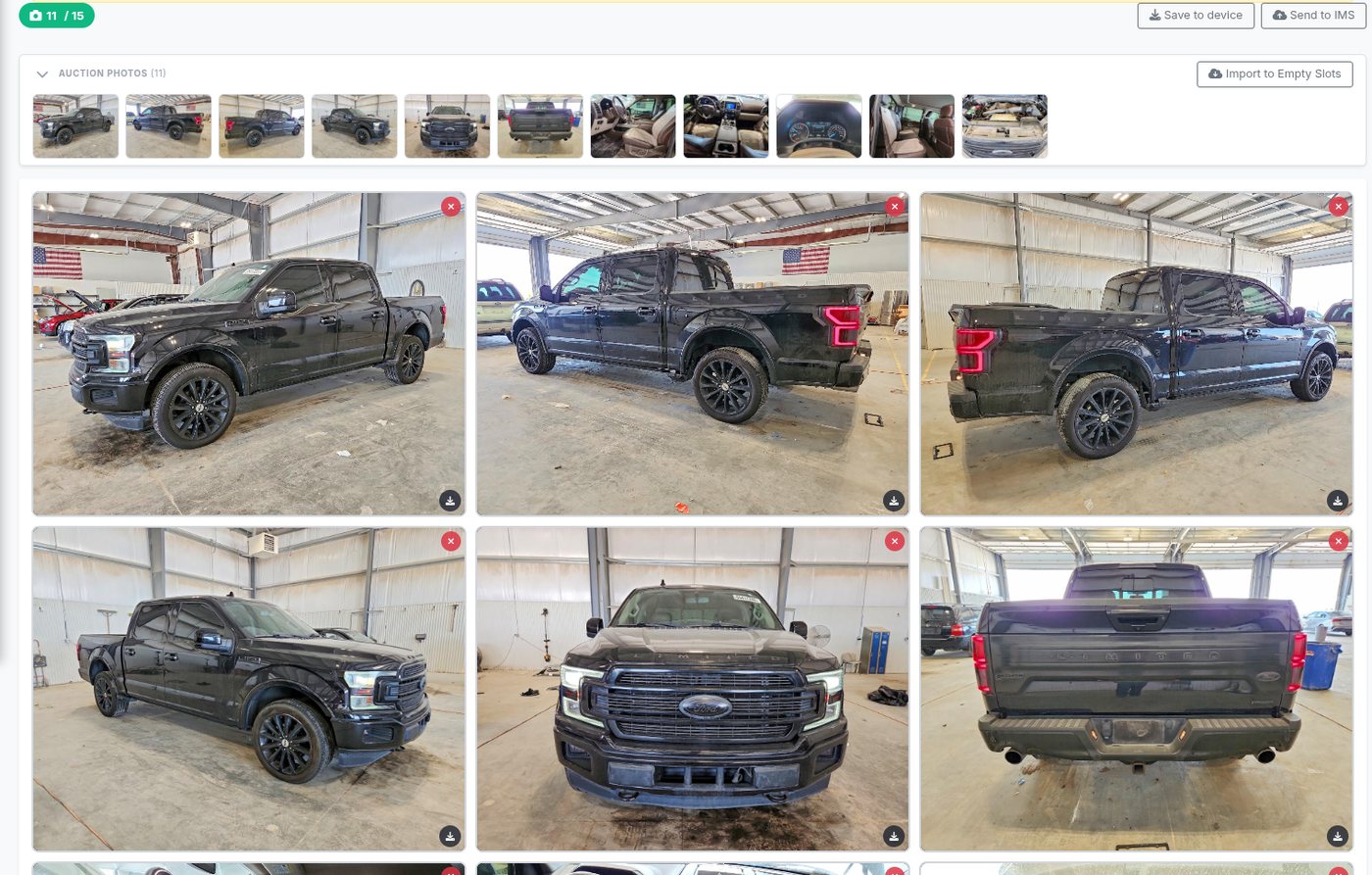
Photos
Auction photos come over on their own, and part photos are filed under the part you took them for.
-
Step 3
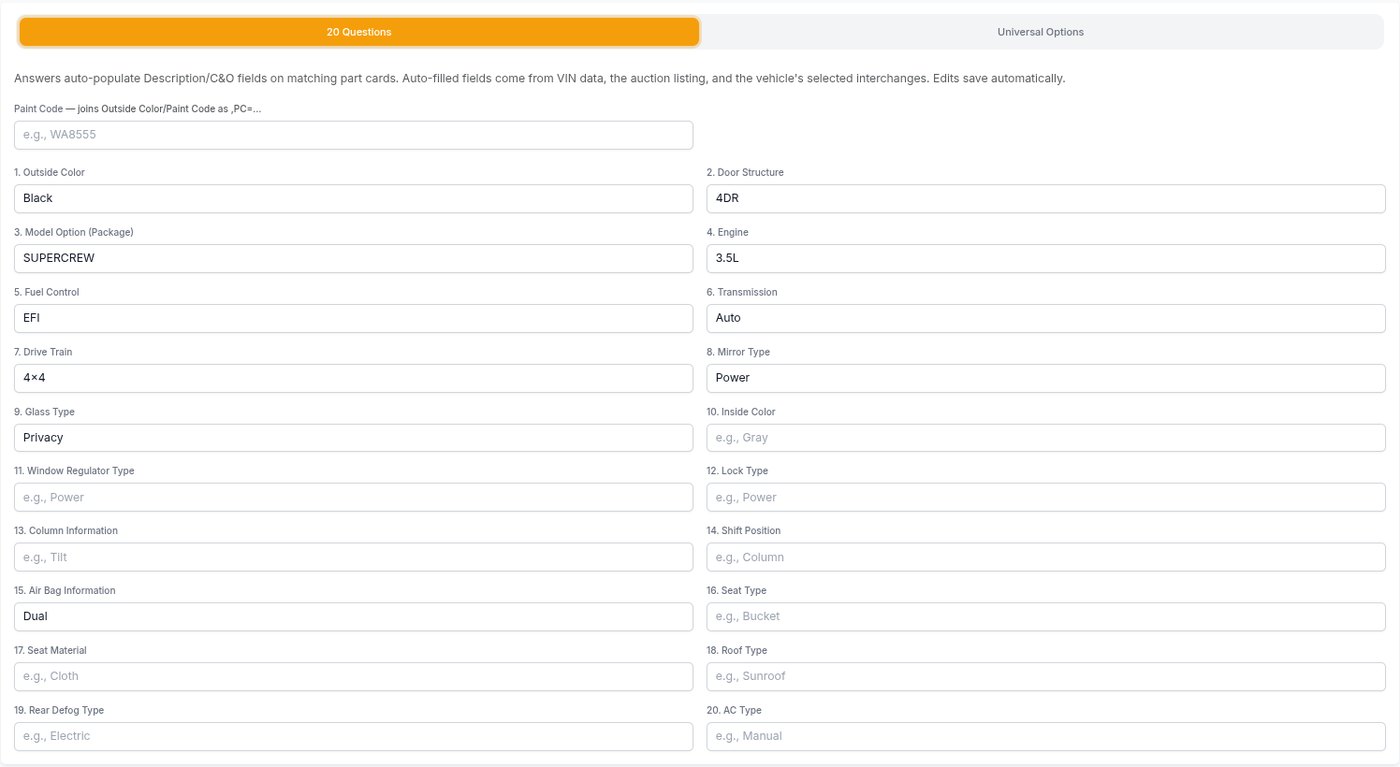
Answer the 20 questions
Pre-filled from the VIN decode and the auction listing, answered right in the app.
-
Step 4
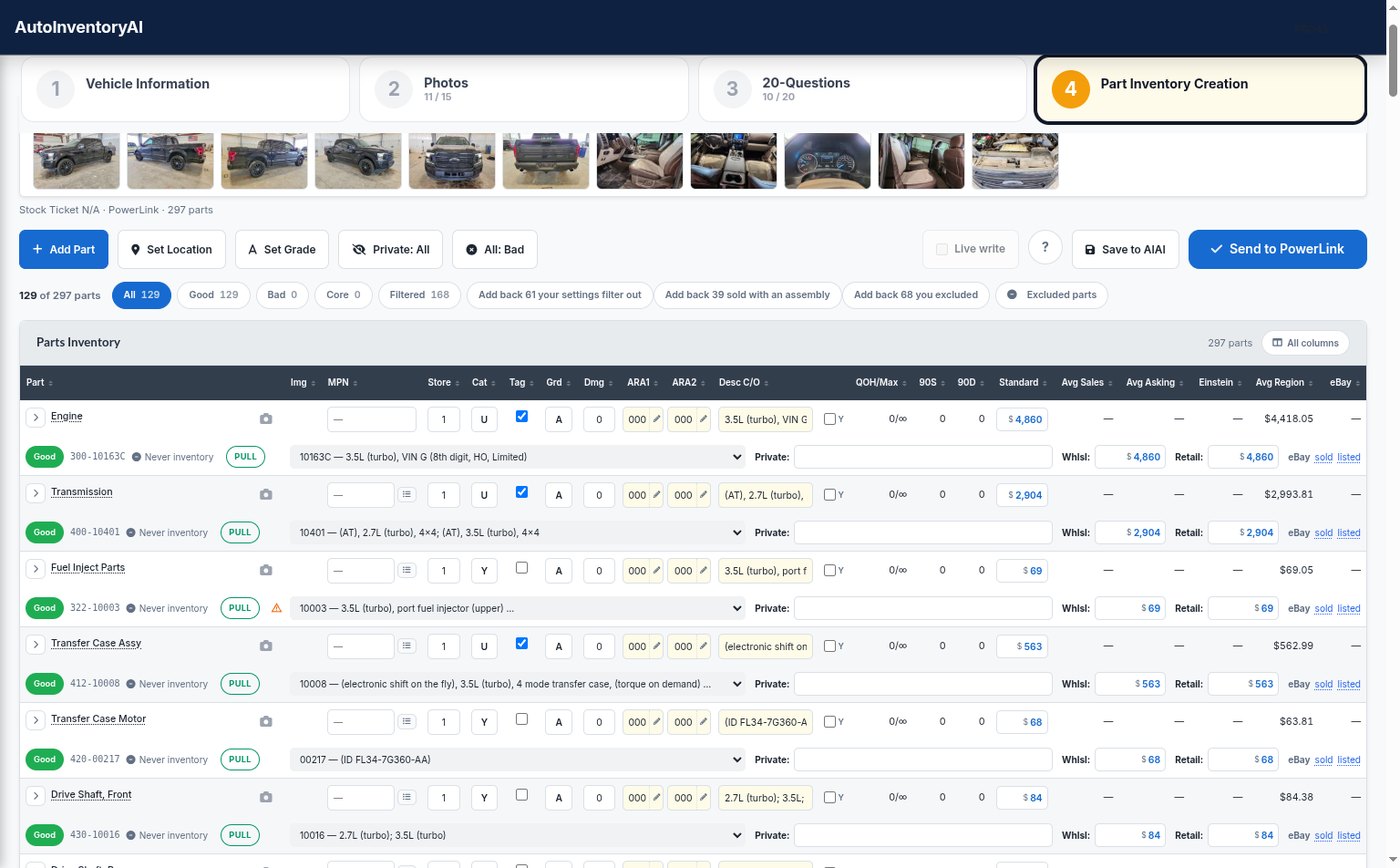
Push the parts
Interchange, grade, category and price on every part, then into your inventory in one send.
Stop typing the same vehicle twice
Inventorying by hand means a record in your inventory system, then conditions, interchange, prices and photos one part at a time. Here is what changes.
How the app works today
Less typing, from the first step
Works with Powerlink, Pinnacle and Checkmate.
Built for the yard floor
Made for a tablet in the yard, not a desk
Tablet first
Big targets, a camera on every part row, and a sign-in that never hides under the keyboard.
Never loses work
If the connection to your inventory system drops, writes wait in the Sync Queue and you keep going.
Your walk-around order
Part types come up in the order you walk a car, set once in Settings.
Costs land with the parts
The vehicle’s costs are spread across its parts by price as they are created.
Private parts
Keep a part on the vehicle for your own people and out of public listings.
Final review on Pinnacle
Send new parts to Pinnacle’s own review queue instead of straight into inventory.
Questions yards ask
Do I need to create the vehicle in my inventory system first?
Which inventory systems does it work with?
Where do I answer the 20 questions?
What happens when I paste the build sheet?
What if the connection to my inventory system drops?
Are B and C parts marked bad?
What does it cost, and how do I start?
See a vehicle go from VIN to worksheet
We will walk through a vehicle you just bought, in your own inventory system, and answer every question your team has.
Already a customer? Support: 800-211-0812