Features
Everything a new vehicle needs, in one flow
Create the record, take the photos, answer the questions and push the parts, from a tablet in the yard or a desk after the auction.
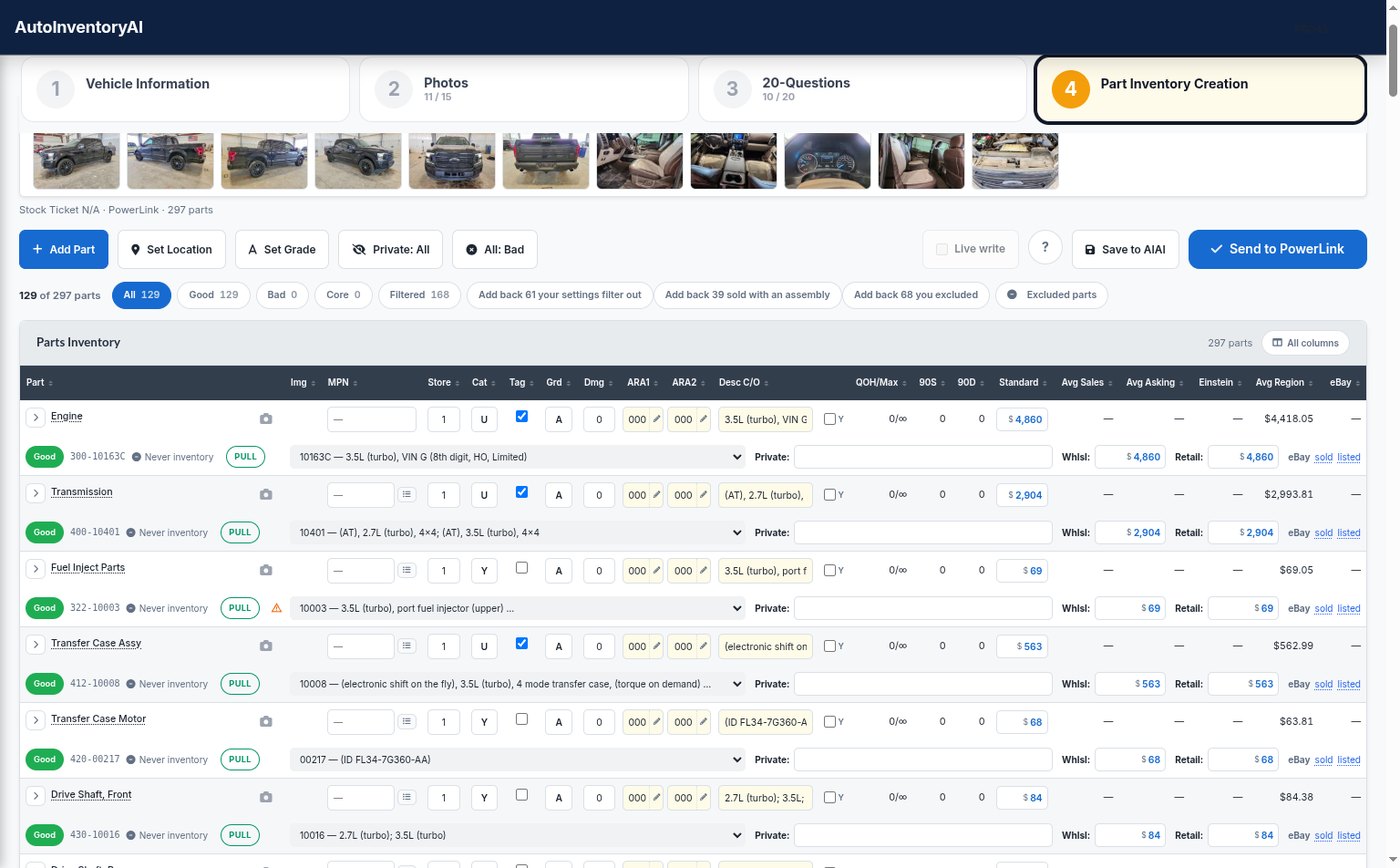 View full size
The vehicle record, created for you
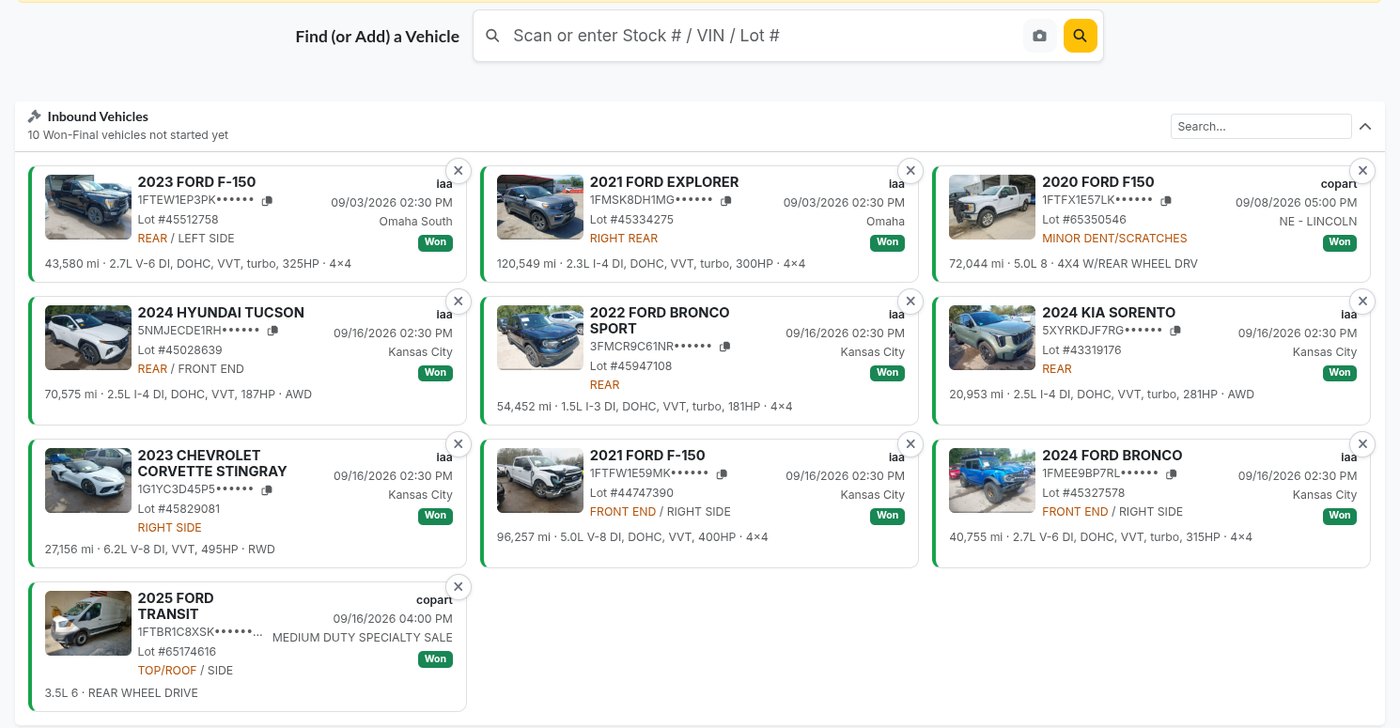
Vehicles you won at auction are waiting under Inbound Vehicles; anything else is a VIN or lot number away. Fill in what you know and AutoInventoryAI creates the record in your inventory system.
- Purchase and arrival dates, costs, odometer and colors carried over
- Auction photos attached to the vehicle automatically
- Your system’s own words: Create MVR on Pinnacle, Add Vehicle on Powerlink and Checkmate
 View full size
Photos filed where they belong
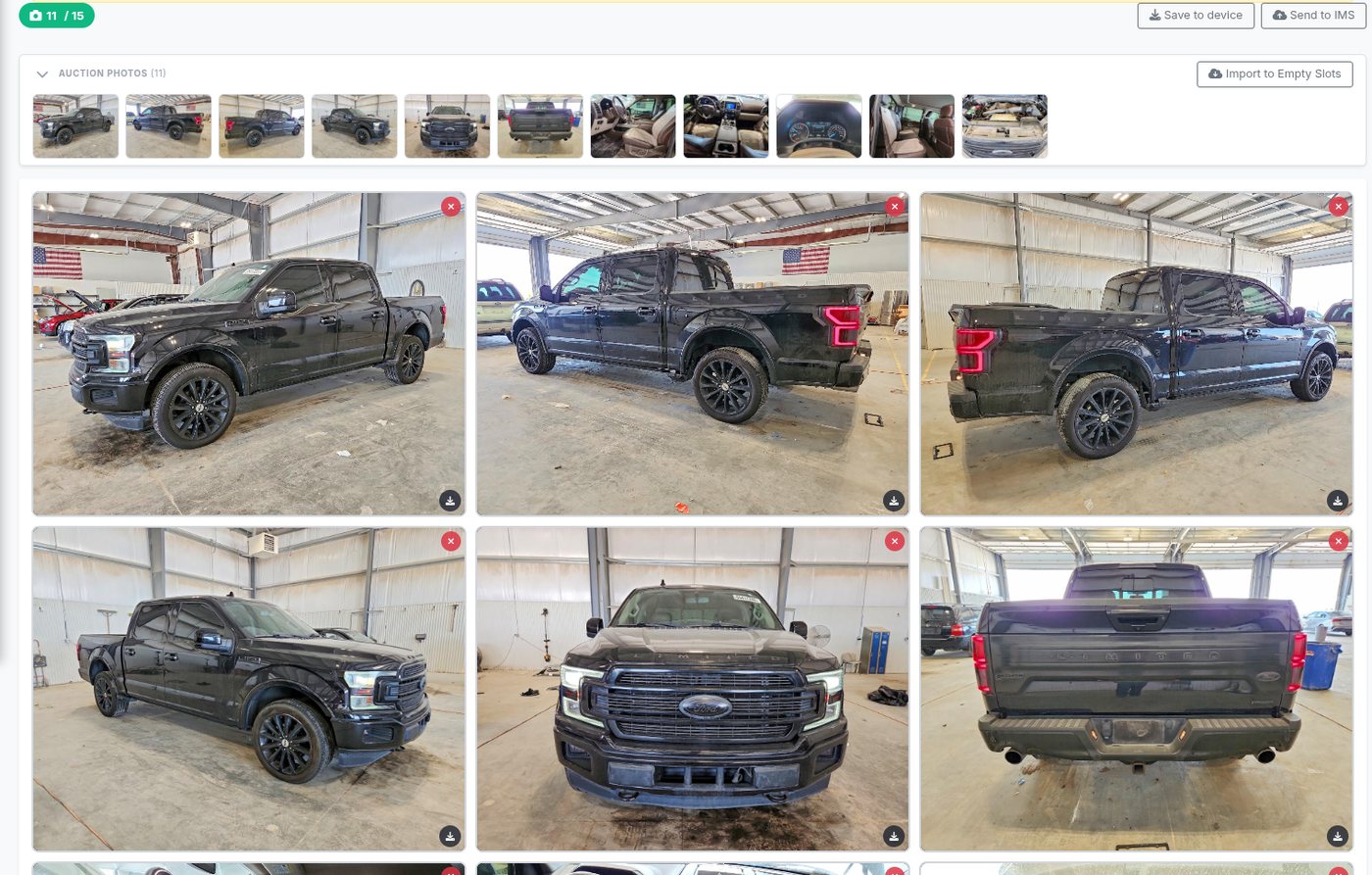
The auction photos come over on their own. Walk the car zone by zone and tap a part name to photograph that part; each shot is filed under it and travels to your inventory system with the part.
- Zone cards that walk the parts in order, left front to right rear
- A camera button on every part row, before or after it is in inventory
- Photos are appraised for damage so parts start with a first read
 See the photo zones
The 20 questions, mostly answered
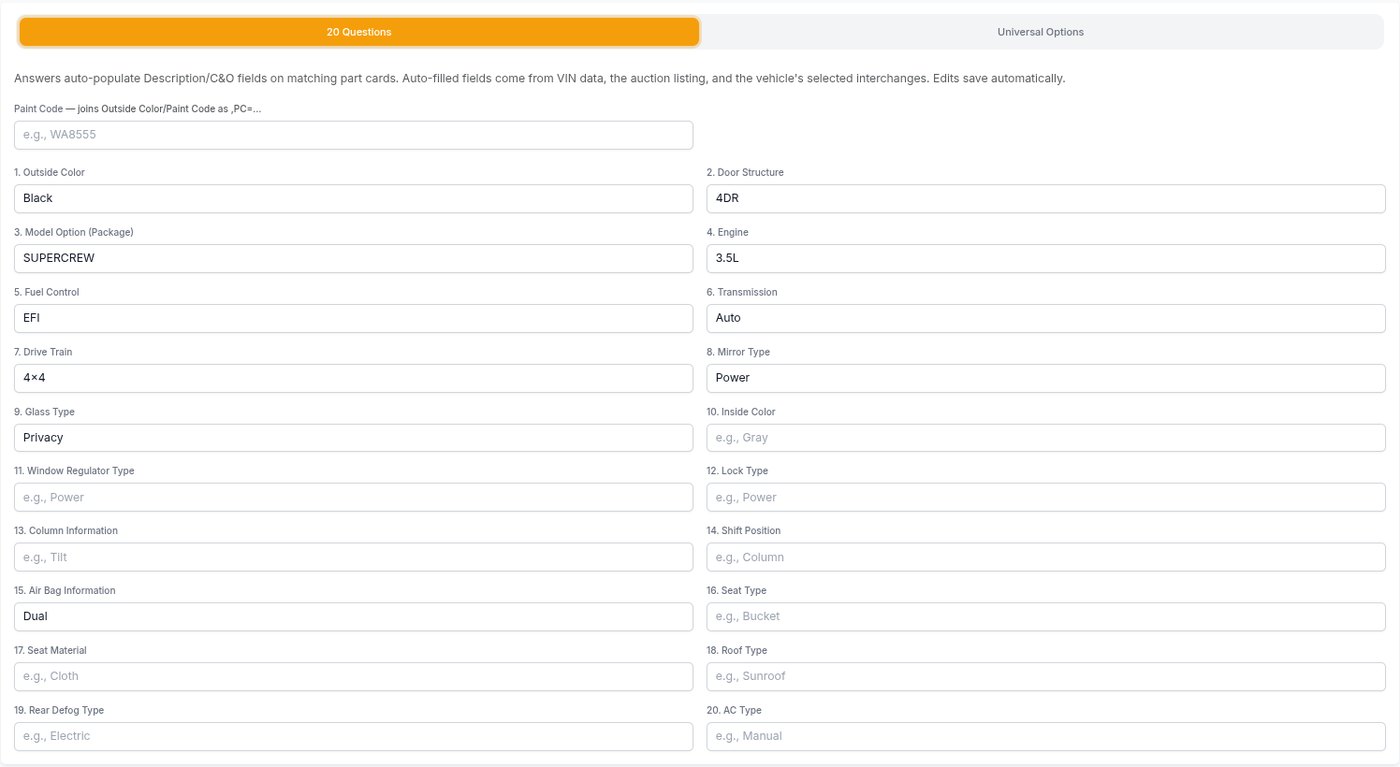
Answer them here, not in your inventory system. The VIN decode and the auction listing fill in what they already know, and the answers flow onto every part as conditions and options.
- Outside color picks up the paint code on its own
- Choose which questions and Universal Options each part type carries
- Paste the build sheet and the RPO codes feed the answers and the interchange
 View full size
Interchange and pricing on every part
Every suggested part arrives with an interchange, a grade, a category and a price. Change anything with a tap, and every correction you make is remembered.
- A red or amber flag when the interchange is not confirmed for this exact vehicle
- Einstein, regional average and your own sales history, one tap to use any of them
- Your minimum price and grade adjustments applied per part type
- Add a part, or Add Another to copy a second of the same
View full size
Push to Pinnacle, Powerlink or Checkmate, and never lose work
Parts, conditions, prices and photos go into Powerlink, Pinnacle or Checkmate in one send. If the connection drops mid-save, the write waits in the Sync Queue and the vehicle carries on with a temporary stock number.
- Syncing is manual on purpose, so a slow line never makes duplicates
- Change a part already in inventory and send again to update it
- On Pinnacle, send new parts to Final Desk Review instead
Engine, transmission and 10 more are in inventory with their photos.
The connection dropped. Sync when it is back; nothing was lost.
New parts are in Pinnacle’s Final Desk Review queue.
The dismantler worksheet builds itself
It comes from your answered questions and the parts you push. Print it from Print Dismantler, or have it emailed to your dismantler when the parts go in.
Sent when the parts were pushed.
Everything included
Settings you set once, and every vehicle after follows them.
Part type order
Number the part types in the order you walk a car; every vehicle comes out that way.
What gets suggested
Switch Inventory on or off per part type to control the list.
Default categories
Set U or Y per part type, and change many at once.
Default locations
One location per store and category pre-fills every new part.
Costs spread by price
The vehicle’s costs are shared across its parts as they are created.
Private parts
Keep parts out of public listings, one at a time or all by default.
Reports and KPIs
Reports and an executive KPI dashboard for owners and managers.
Roles for your team
Decide who sees reports, settings and the worksheet.
Help built in
A guide and FAQ inside the app, and real people at 800-211-0812.
See it on a real vehicle
Watch a vehicle go from VIN to worksheet
A short call with our team, using your inventory system and a vehicle you just bought.
- Creating the vehicle record in your inventory system from the app
- Guided photos and the 20 questions, pre-filled where we can
- Interchange, pricing and parts pushed into your inventory
- Every question your buyer has, answered
Rather talk now? Sales: 800-211-0843
Request a demo
About 20 minutes on one of your own vehicles, start to finish. We reply within one business day.