Skip to content
AutoInventoryAI Request a demo
menu

Vehicle inventory for auto recyclers

One VIN in. A finished vehicle out.

Start a new vehicle in AutoInventoryAI instead of your inventory system. It creates the record, pre-fills the 20 questions, picks the interchange, prices the parts and pushes everything into Powerlink, Pinnacle or Checkmate.

Talk to sales: 800-211-0843
lockinventory.recyclersai.com
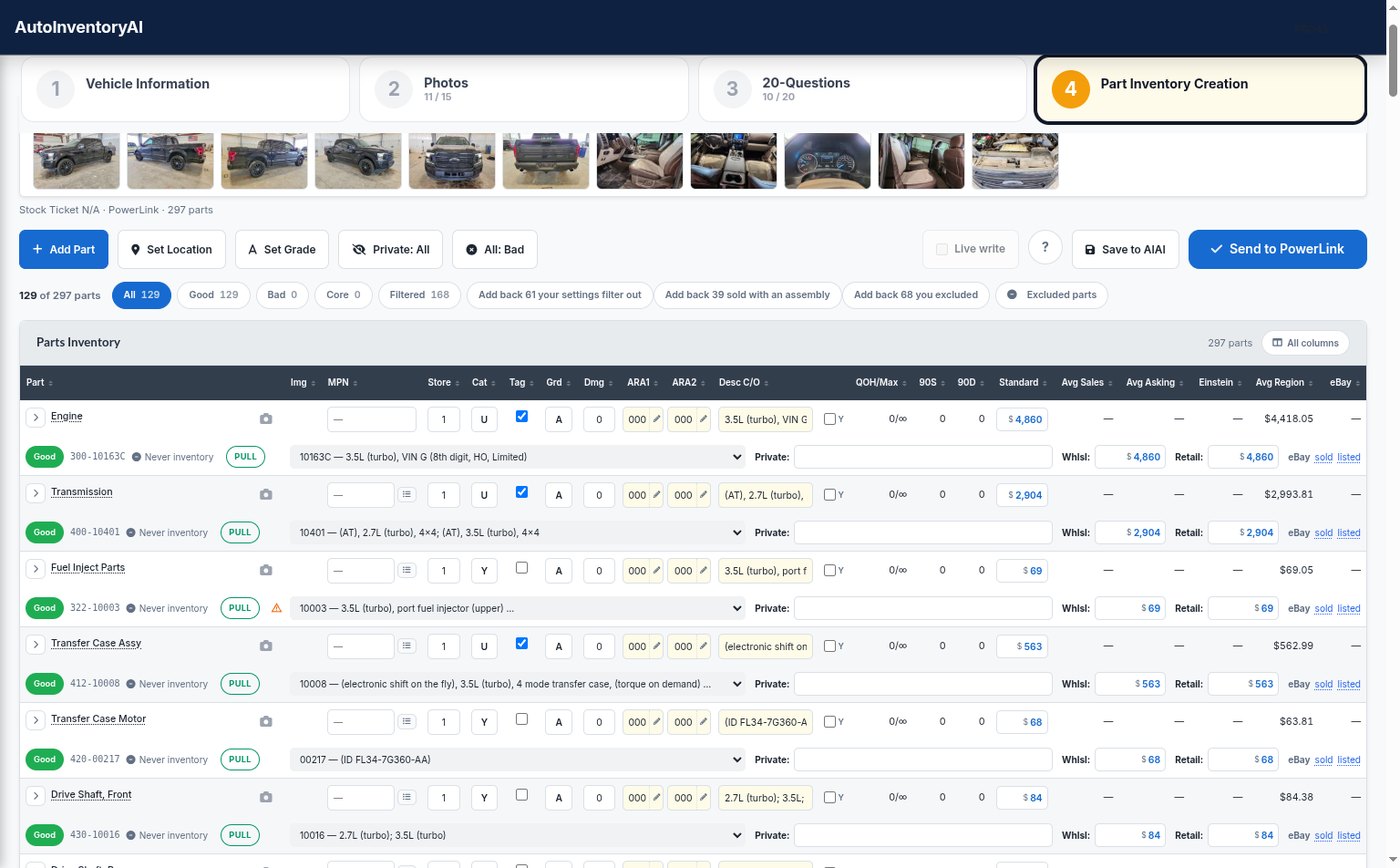
AutoInventoryAI Part Inventory Creation: the four steps, the auction photos, and the parts grid with interchange, grade, category and prices for each part
zoom_inView full size
Pushes straight into Powerlink Pinnacle Checkmate

The flow of a fresh vehicle

Four steps from VIN to worksheet

Start in the app, not in your inventory system. Every step builds on the one before it, and nothing is typed twice.

  1. Step 1

    Find the vehicle

    Type the VIN or lot number. If you won it at auction, it is already waiting under Inbound Vehicles.
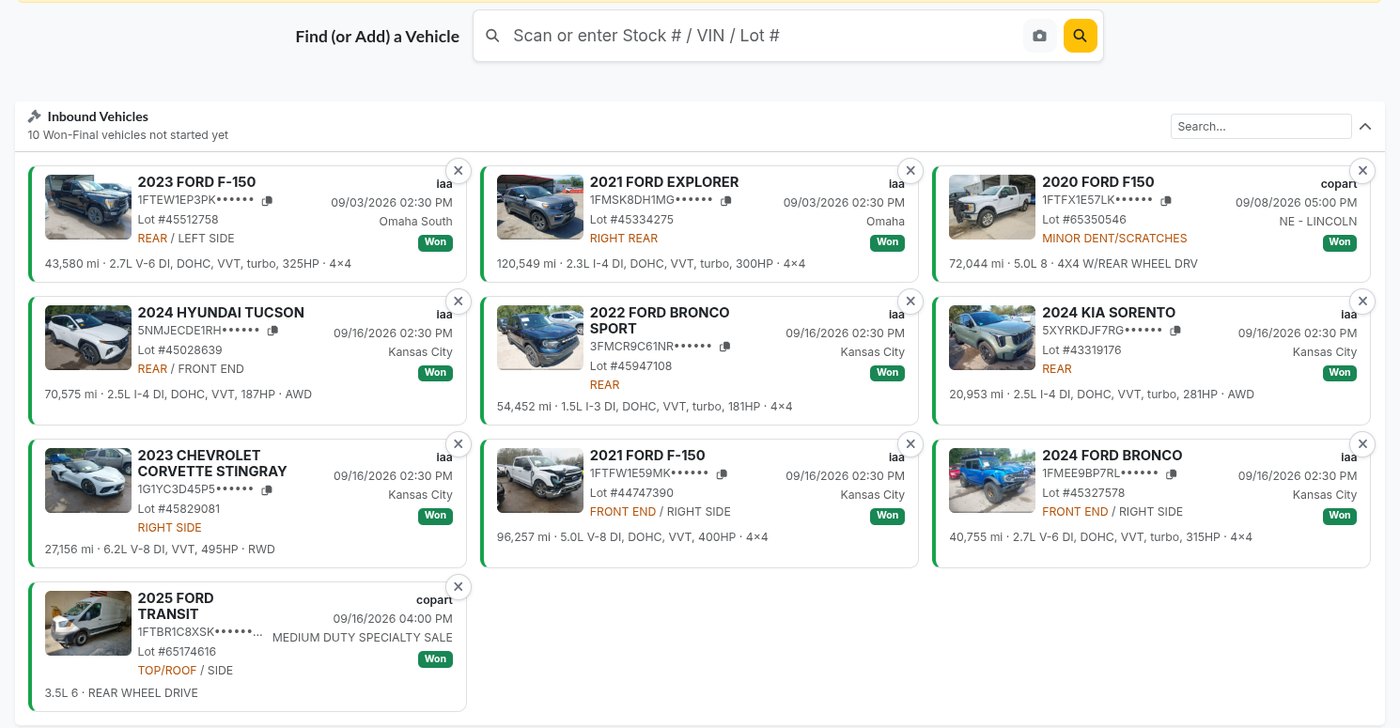
    Find or add a vehicle, and the Inbound Vehicles you won at auction
  2. Step 2

    Photos

    Auction photos come over on their own, and part photos are filed under the part you took them for.
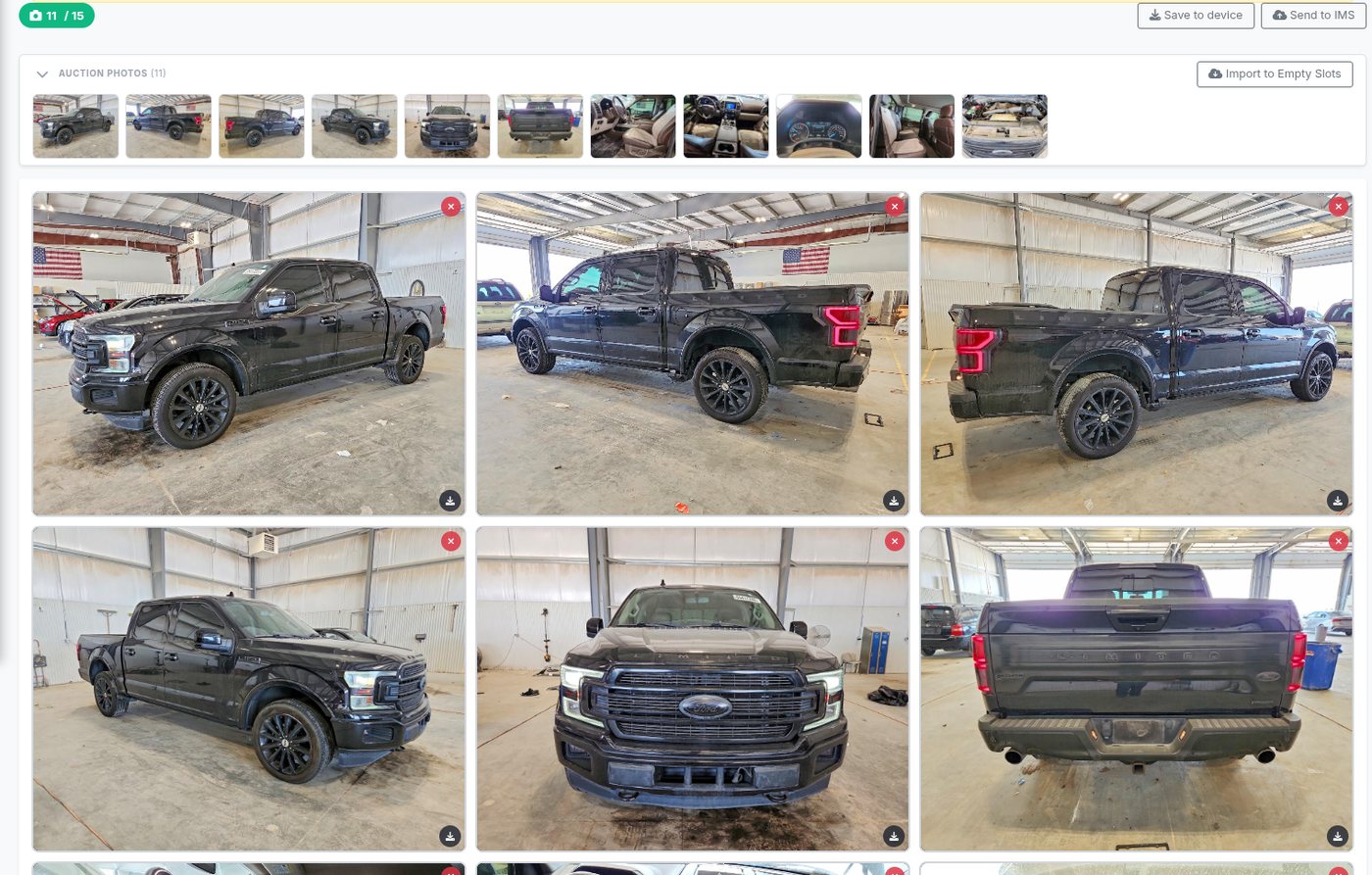
    The Photos step: auction photos attached to the vehicle
  3. Step 3

    Answer the 20 questions

    Pre-filled from the VIN decode and the auction listing, answered right in the app.
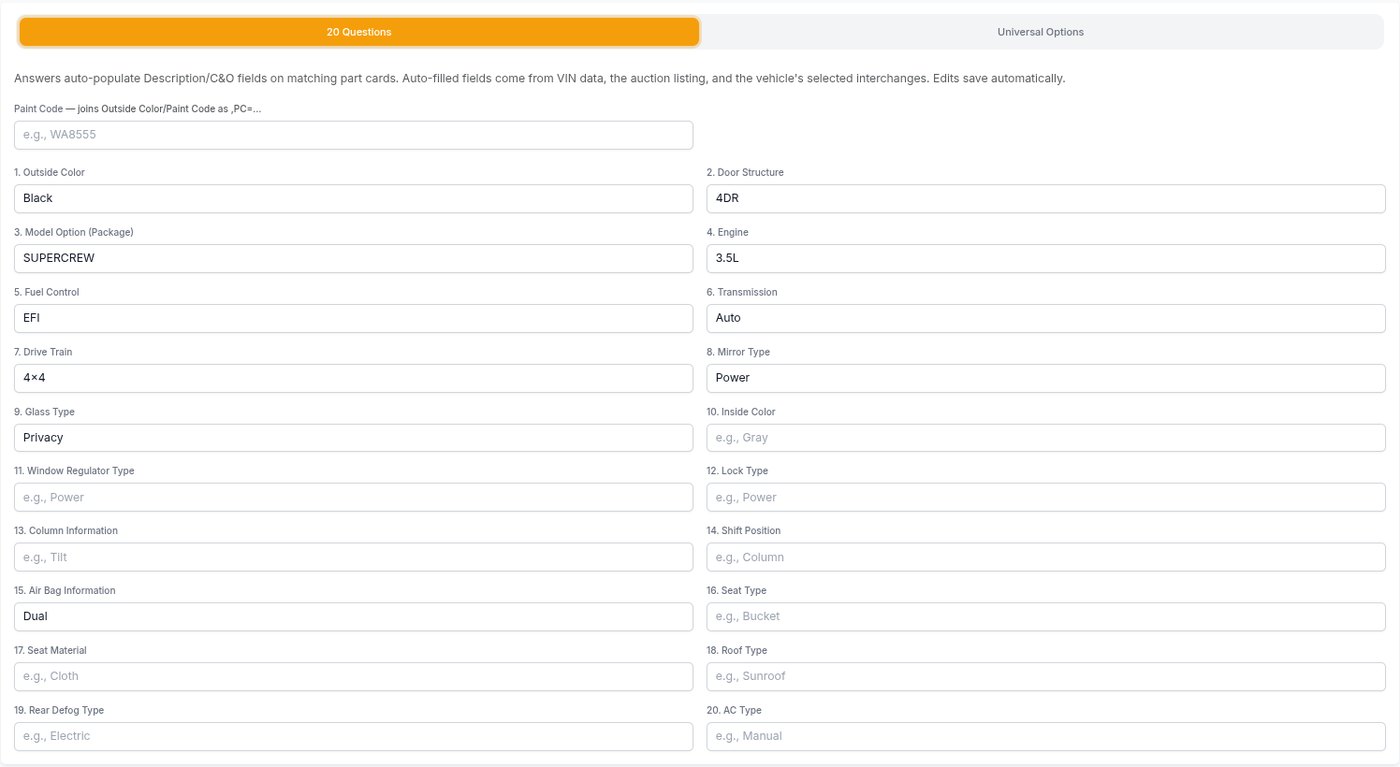
    The 20 Questions with color, doors, package, engine, fuel, transmission, drive train and more already filled in
  4. Step 4

    Push the parts

    Interchange, grade, category and price on every part, then into your inventory in one send.

    Part Inventory Creation with interchange numbers, grades and prices

Stop typing the same vehicle twice

Inventorying by hand means a record in your IMS, then conditions, interchange, prices and photos one part at a time. Here is what changes.

By hand
With AutoInventoryAI
The vehicle record
removeKeyed into your IMS field by field
checkCreated for you with dates, costs, odometer, colors and auction photos
Conditions and options
removeTyped onto each part
checkFilled from 20 answers, most of them pre-filled
Interchange
removeLooked up part by part
checkPicked from the build sheet, with a flag when it is not sure
Prices
removeA guess, or last time’s number
checkEinstein and regional prices, held to your minimums and grade adjustments
Photos
removeUploaded separately, sorted later
checkAuction photos attached; part photos filed under the part
The dismantler
removeA worksheet written up by hand
checkBuilt from the answers and parts, printed or emailed

How the app works today

Less typing, from the first step

4steps
from VIN to dismantler worksheet
0entries
in your inventory system before you start
20questions
pre-filled where the VIN decode and auction listing already know the answer

Works with Powerlink, Pinnacle and Checkmate.

Built for the yard floor

Made for a tablet in the yard, not a desk

tablet_mac

Tablet first

Big targets, a camera on every part row, and a sign-in that never hides under the keyboard.

cloud_sync

Never loses work

If the connection to your IMS drops, writes wait in the Sync Queue and you keep going.

low_priority

Your walk-around order

Part types come up in the order you walk a car, set once in Settings.

payments

Costs land with the parts

The vehicle’s costs are spread across its parts by price as they are created.

visibility_off

Private parts

Keep a part on the vehicle for your own people and out of public listings.

fact_check

Final review on Pinnacle

Send new parts to Pinnacle’s own review queue instead of straight into inventory.

Questions yards ask

Do I need to create the vehicle in my inventory system first?
No, that is the whole point. Open the won vehicle or search the VIN, fill in what you know and add the vehicle. AutoInventoryAI creates the record in your IMS for you, with purchase and arrival dates, costs, odometer, colors and the detail fields, and attaches the auction photos.
Which inventory systems does it work with?
Powerlink, Pinnacle and Checkmate. The app uses your system’s own words, so a Pinnacle yard creates an MVR and a Powerlink yard adds a vehicle.
Where do I answer the 20 questions?
Right in the app. The answers flow onto the parts as conditions and options. The app pre-fills what it can from the VIN decode and the auction listing, like the outside color from the paint code.
What happens when I paste the build sheet?
The interchange picker reads the RPO codes the moment you paste, so the right wheels, transmission and carrier ratio are chosen. The app keeps the full sheet with no length limit.
What if the connection to my IMS drops?
Nothing is lost. The write is stored in the Sync Queue and the vehicle gets a temporary stock number, so photos, questions and parts can carry on. Syncing is manual on purpose, so a slow connection can never turn one push into duplicates.
Are B and C parts marked bad?
No. A, B and C are all sellable grades; B and C price down by your grade adjustments. Only X marks a part bad, and you always have the last word on every part.
What does it cost, and how do I start?
Pricing depends on your yard. Request a demo or call sales at 800-211-0843, and we will walk through a vehicle with your inventory system.

See a vehicle go from VIN to worksheet

We will walk through a vehicle you just bought, in your own inventory system, and answer every question your team has.

Already a customer? Support: 800-211-0812